Smart auto-categorization
New expenses are sorted into the right category for you, so logging is usually just a tap. Adjust anytime — the app learns from your choices.
Expense tracking for iPhone, iPad, and Apple Watch
Nudgit helps you capture expenses in seconds — with automatic categorization, text, voice, widgets, and Apple Watch — then review budgets, forecasts, and insights across iPhone, iPad, and Apple Watch. Now with a Lock Screen Live Activity, statement import, and 21 languages. Available now on the App Store.
Core workflow
Nudgit starts with low-friction capture and automatic categorization, then adds the review surfaces people actually come back to: budgets, forecasts, an insights hub, recurring auto-logging, statement import, widgets, and watch entry.
New expenses are sorted into the right category for you, so logging is usually just a tap. Adjust anytime — the app learns from your choices.
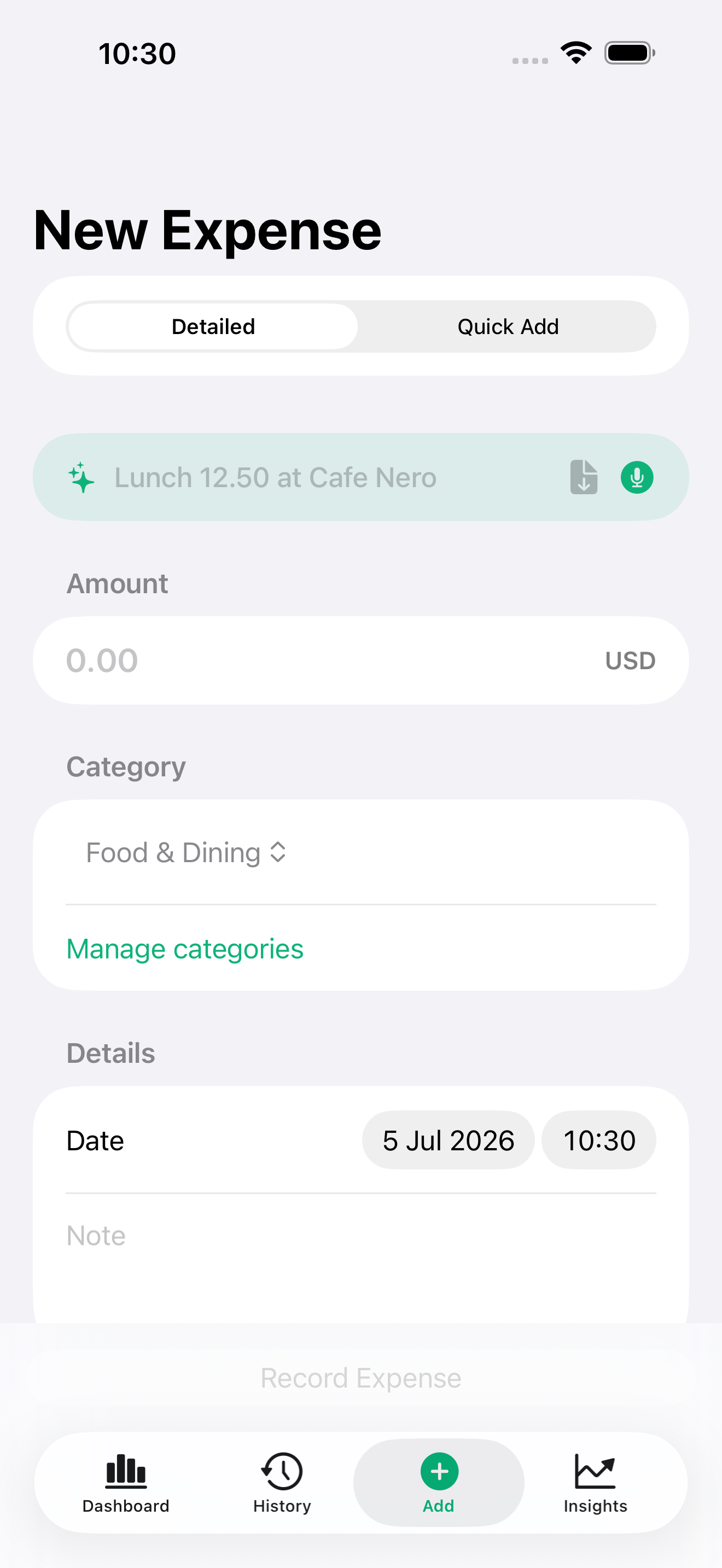
Type or speak a short expense phrase, then review the parsed amount, category, date, note, and optional receipt before saving.
Start a Live Activity to keep your daily spending and remaining budget in view at a glance, right from the Lock Screen.
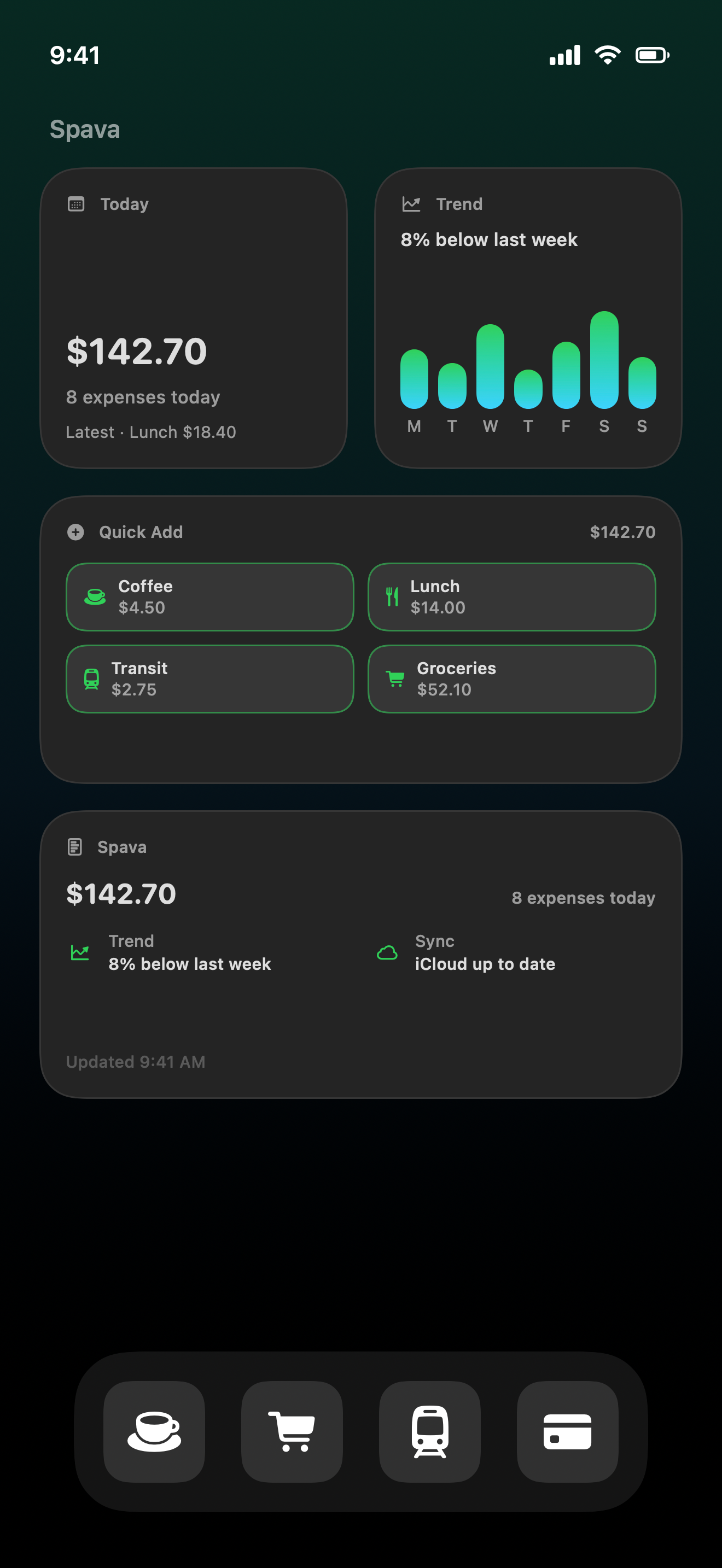
Home Screen and Lock Screen widgets for daily spend, trends, and one-tap quick add — with privacy redaction for sensitive amounts.
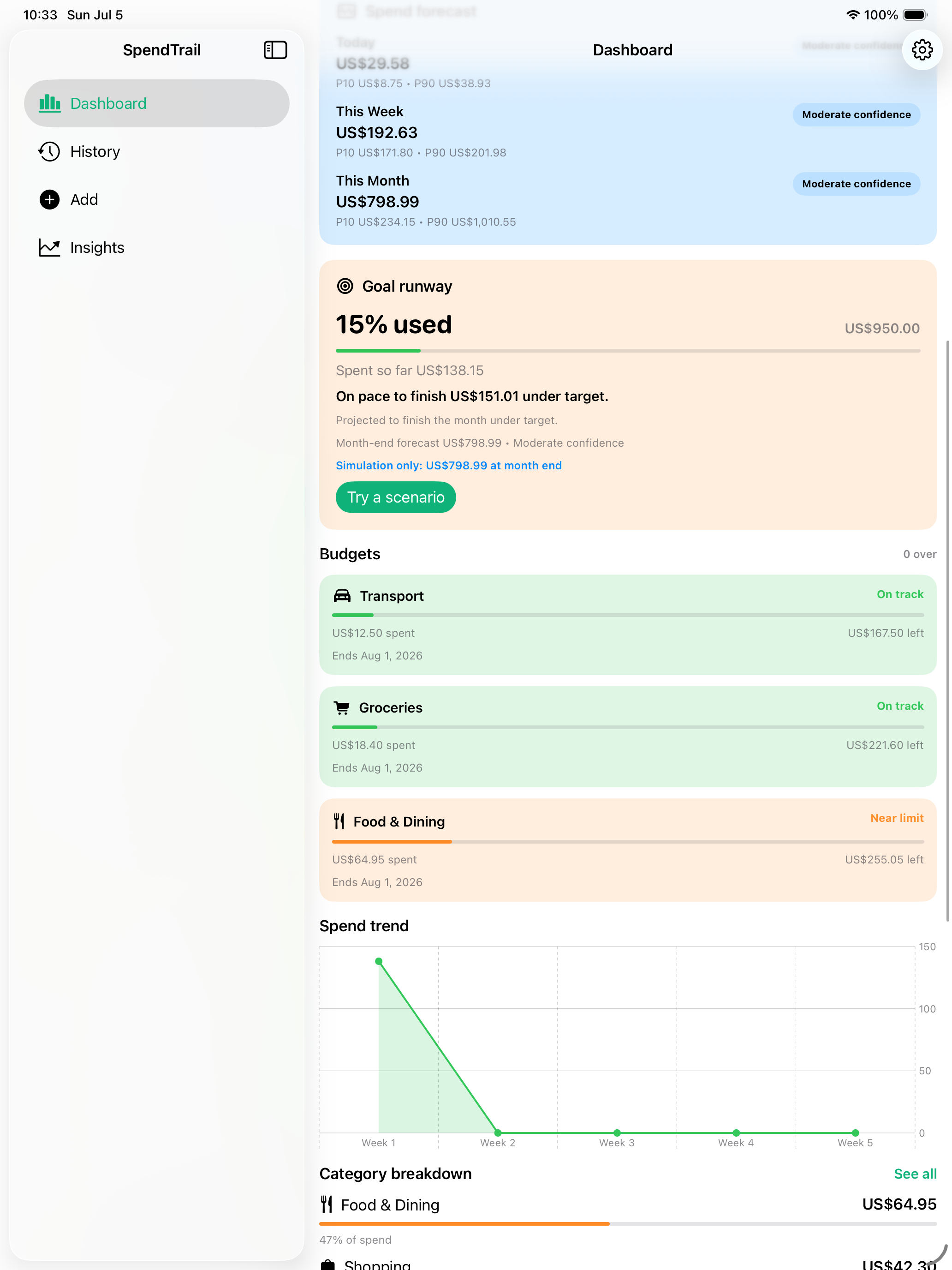
Track category budgets, monthly targets, goal runway, and alerts that help you spot overrun risk before the month is gone.
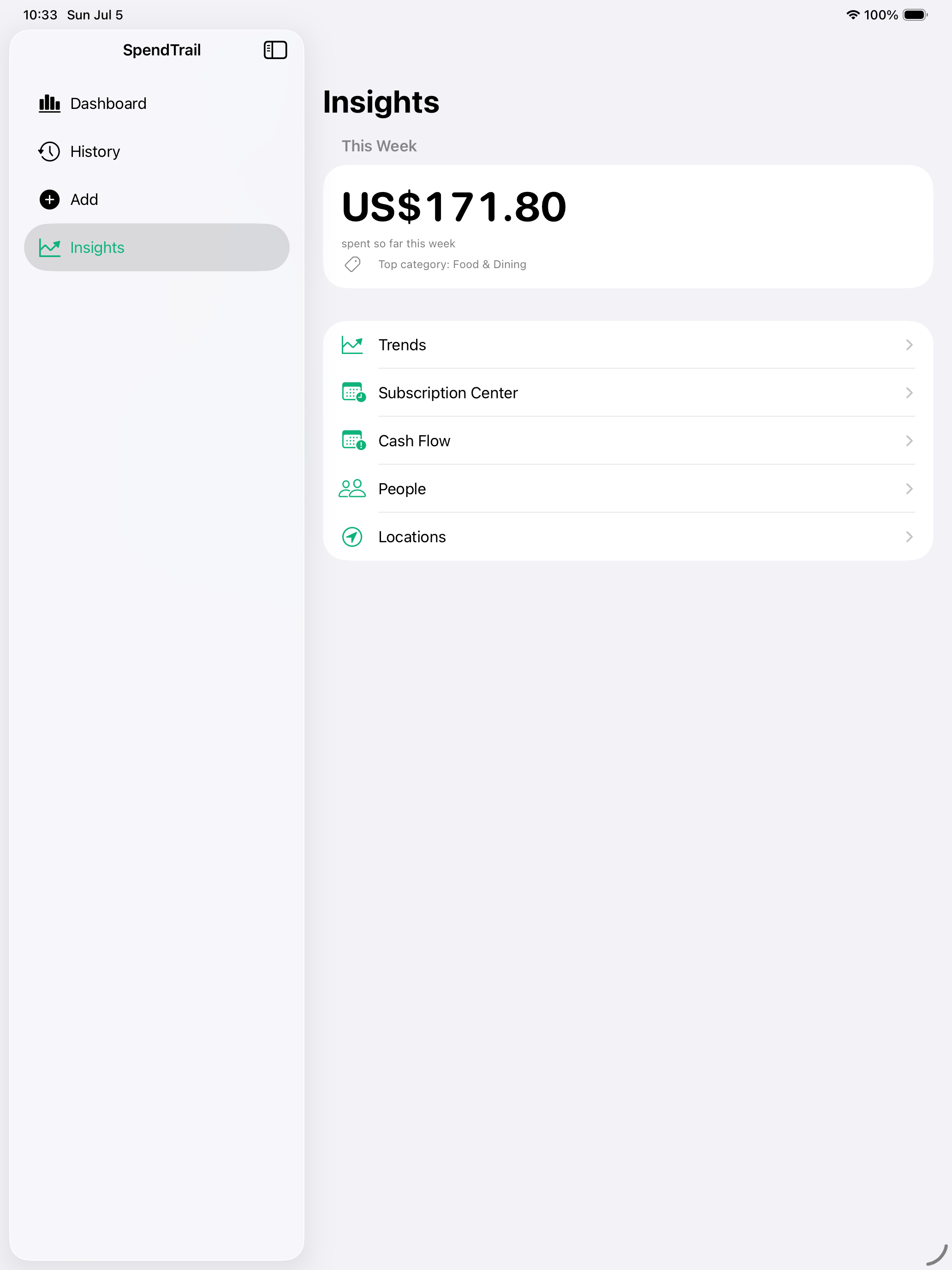
Review spend movement with forecast ranges, an insights hub, top categories, and weekly summaries designed for quick decisions.
Set up regular bills and subscriptions once and they log automatically, with a subscription center to review dates and reminders.
Bring in transactions from CSV, OFX, or QFX exports. Everything is parsed on device, so nothing leaves your phone.
Attach several receipts or photos to a single expense, with on-device scanning and smart suggestions that cut manual entry.
Turn any spending summary into a clean, shareable card for a quick recap of where your money went.
Attach place context when useful for errands or travel, review location history, and keep tracking normally when location is off.
Capture a small purchase from the wrist with tuned presets, favorite categories, and local-first sync back to iPhone when available.
App screens
A refreshed dashboard and history, with the spend trend, month-end forecast, insights hub, Lock Screen Live Activity, quick entry, budgets, and subscriptions used day to day.
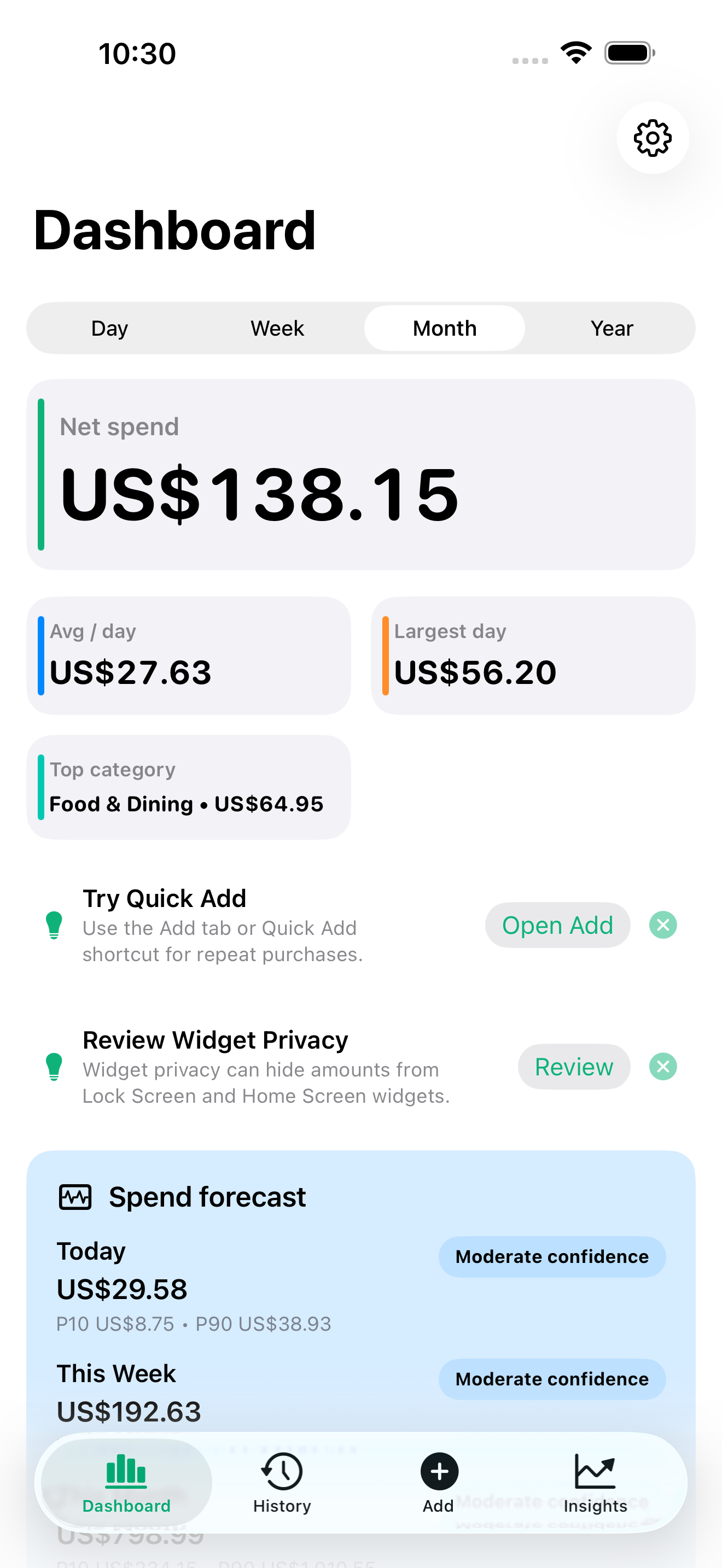
A redesigned dashboard with a clear money hierarchy across day, week, month, and year.
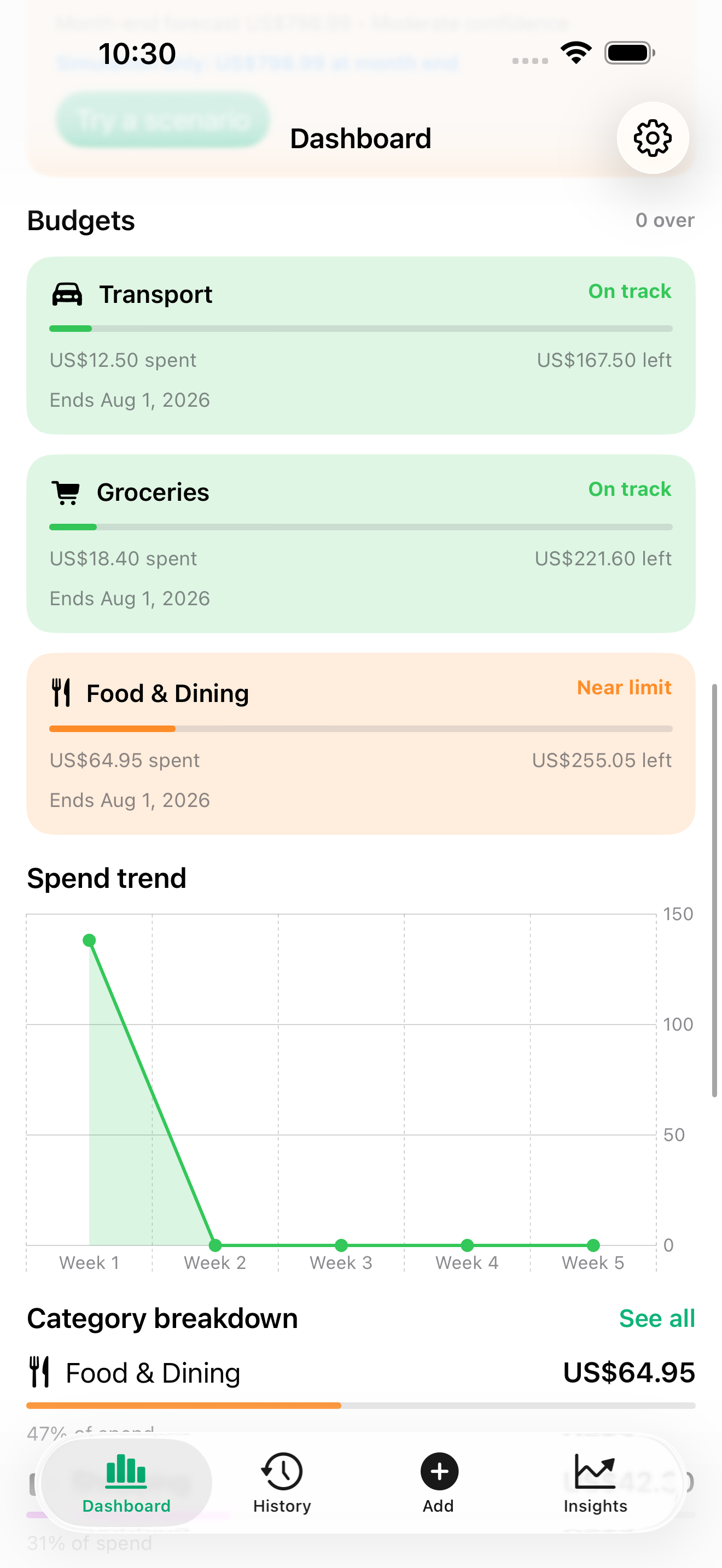
A trend chart shows how spending is moving across the period at a glance.
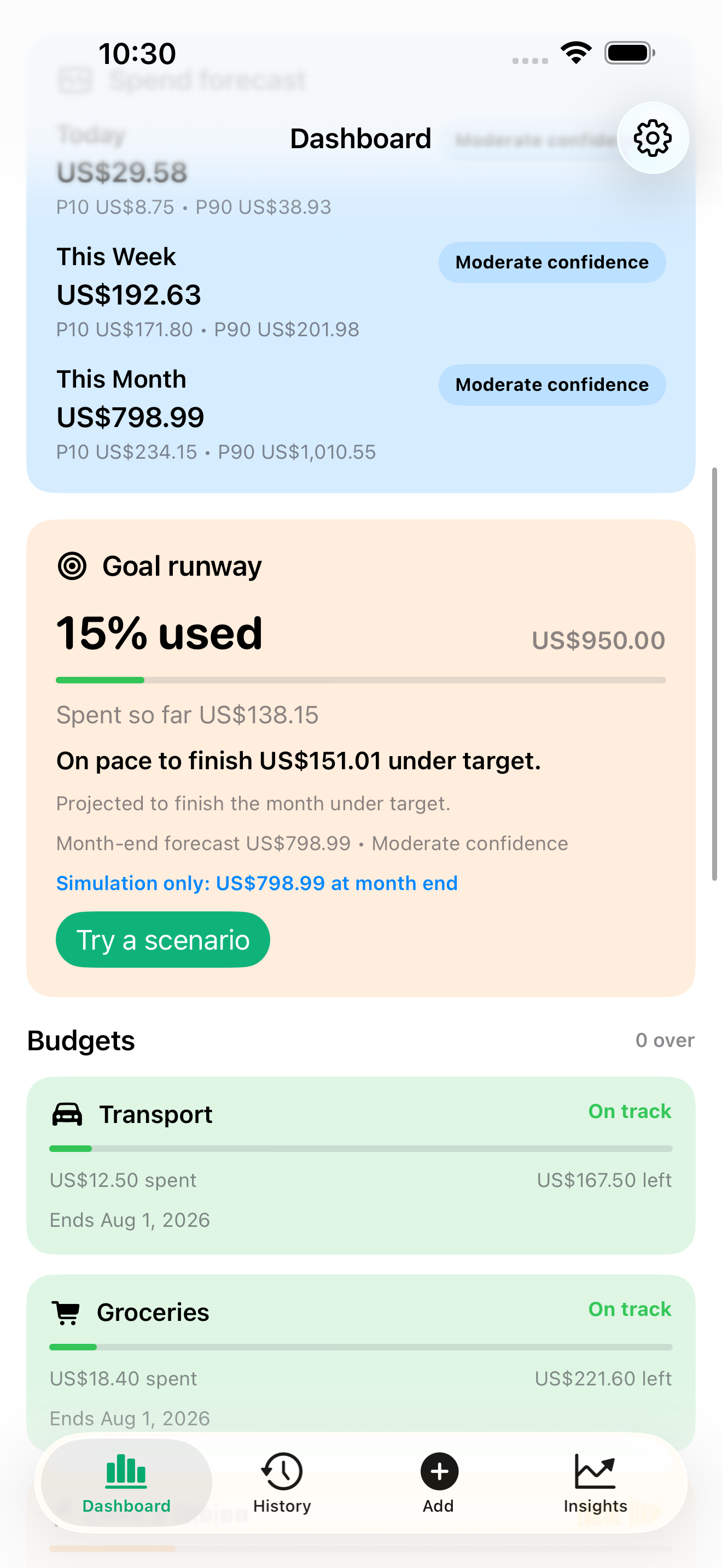
See a month-end forecast with a confidence range so there are fewer surprises.
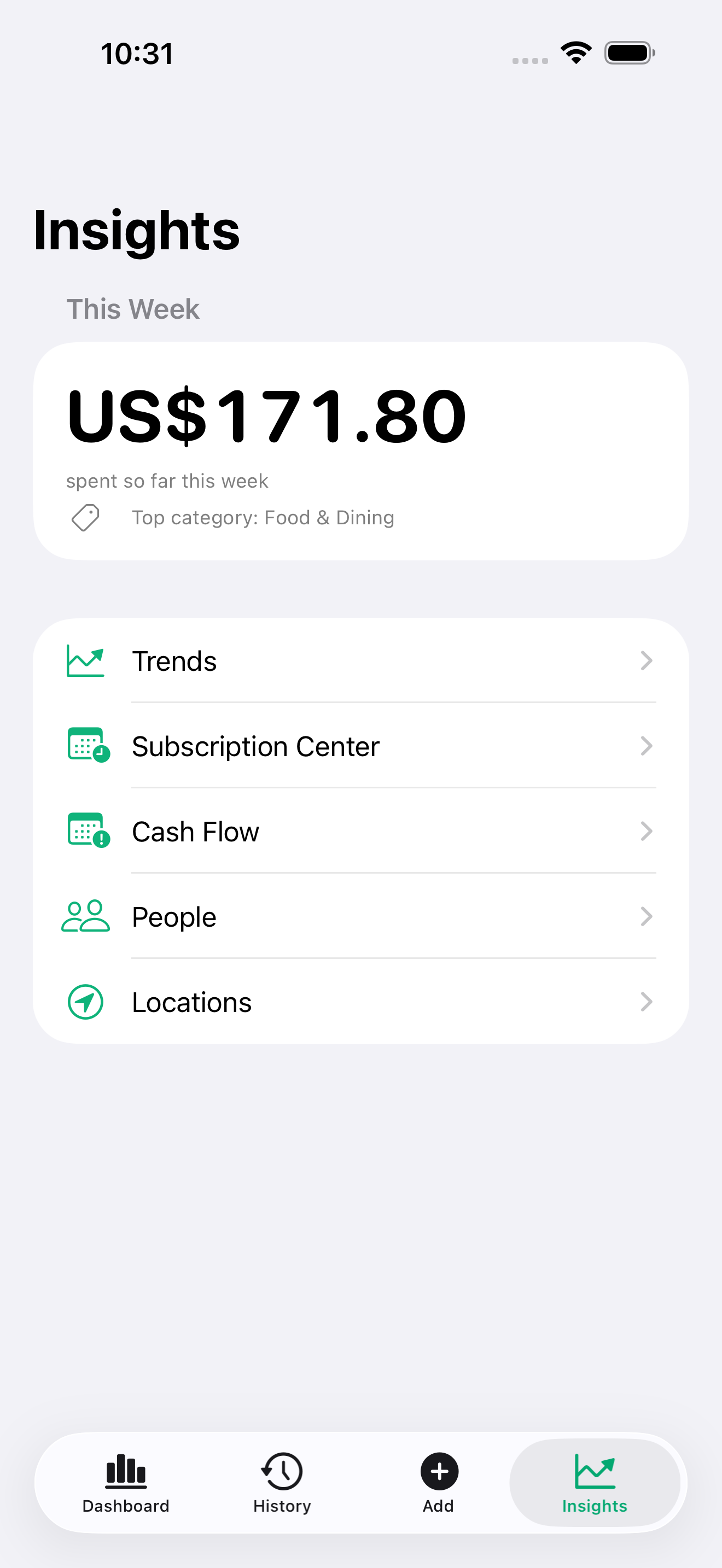
Weekly insights surface top movers, category shifts, and recurring patterns worth noticing.
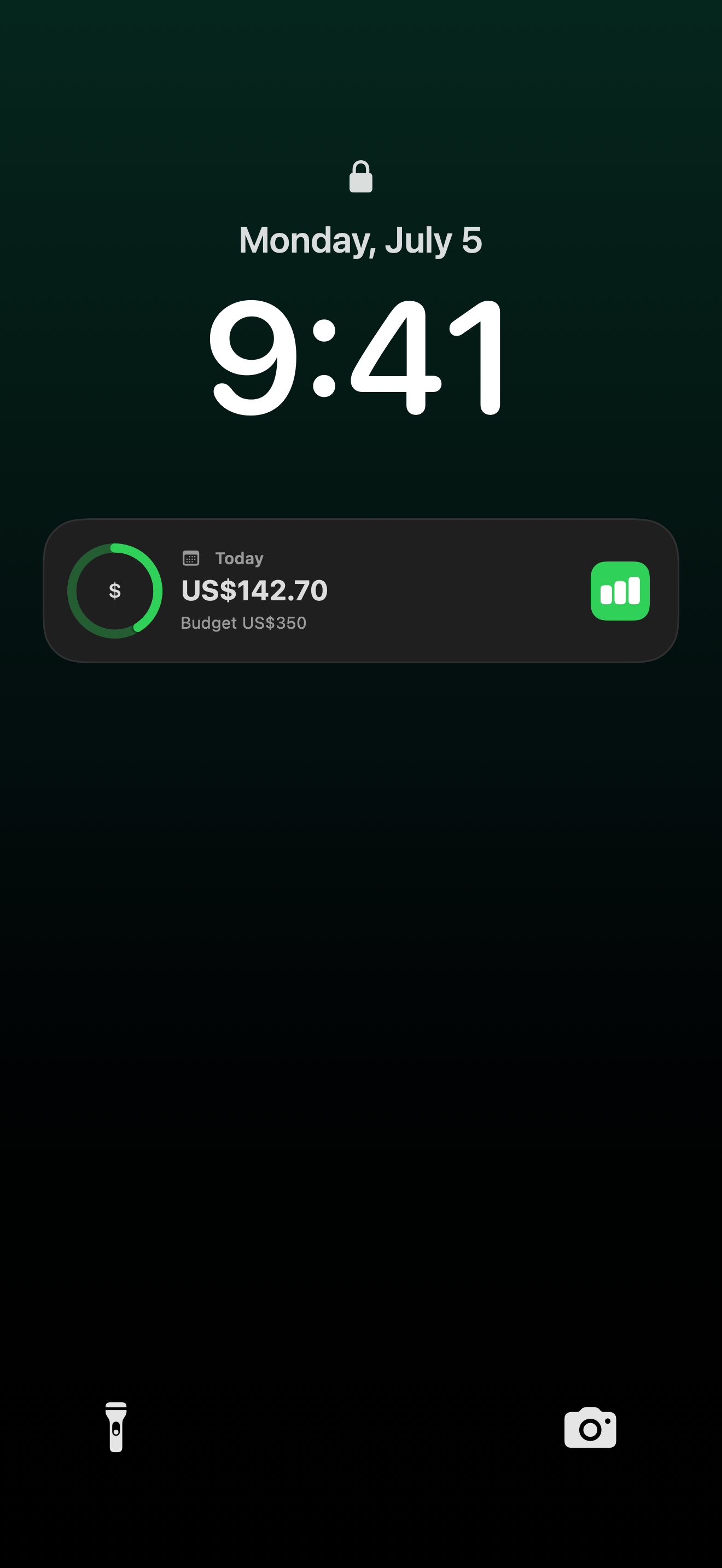
A Live Activity keeps today’s spend and remaining budget glanceable without opening the app.
Detailed entry or a quick sentence, with automatic categorization, presets, and receipts.
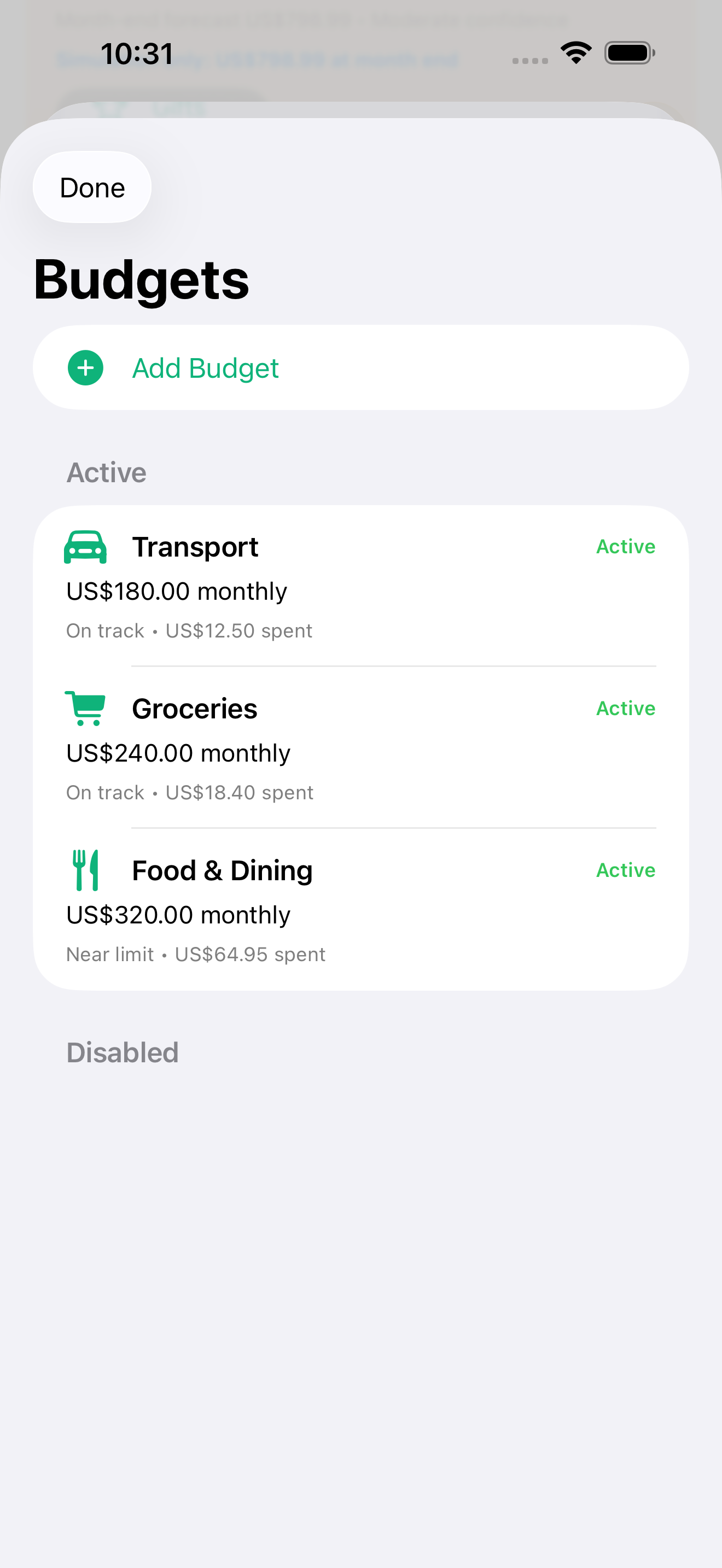
Set category budgets and keep progress visible next to daily spending decisions.
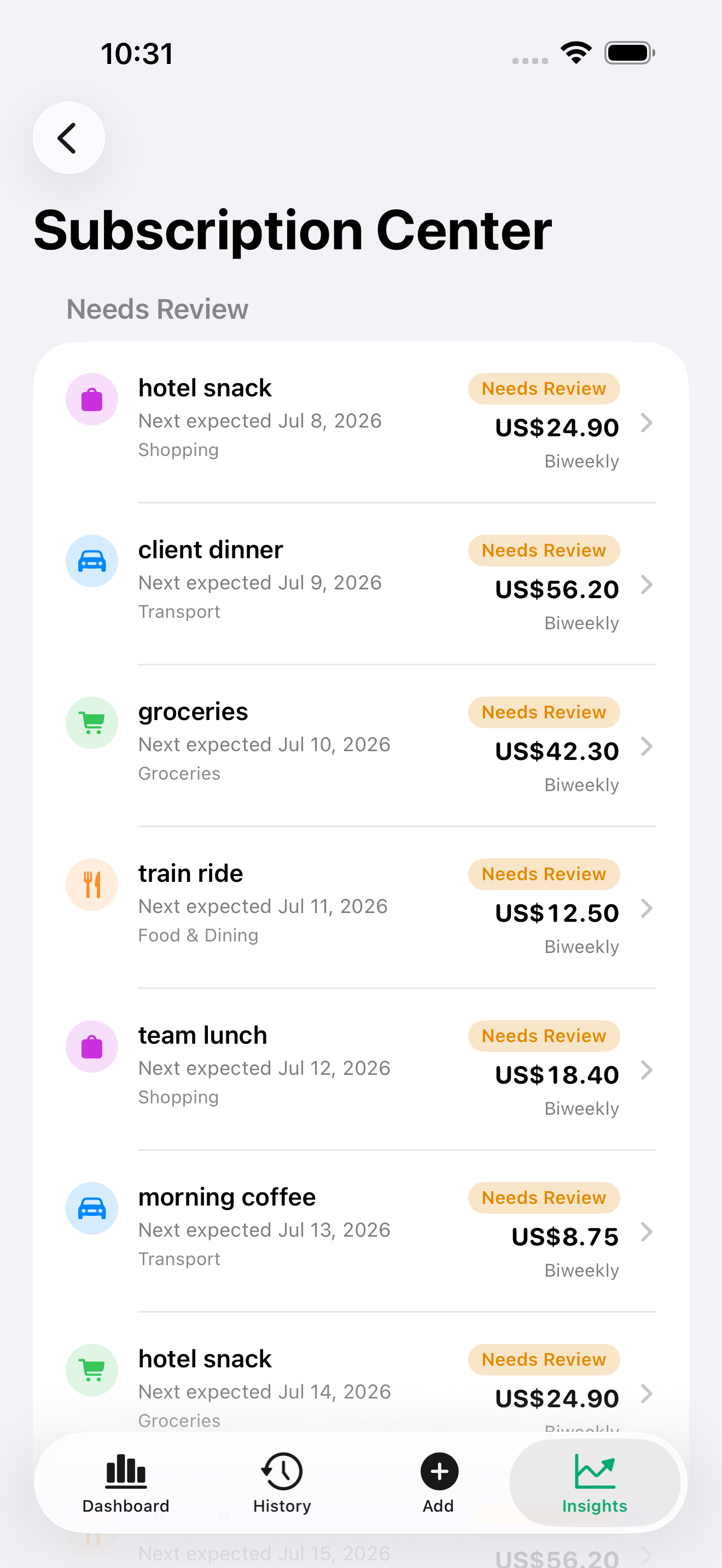
Review recurring expenses, next expected dates, reminders, and status in one place.
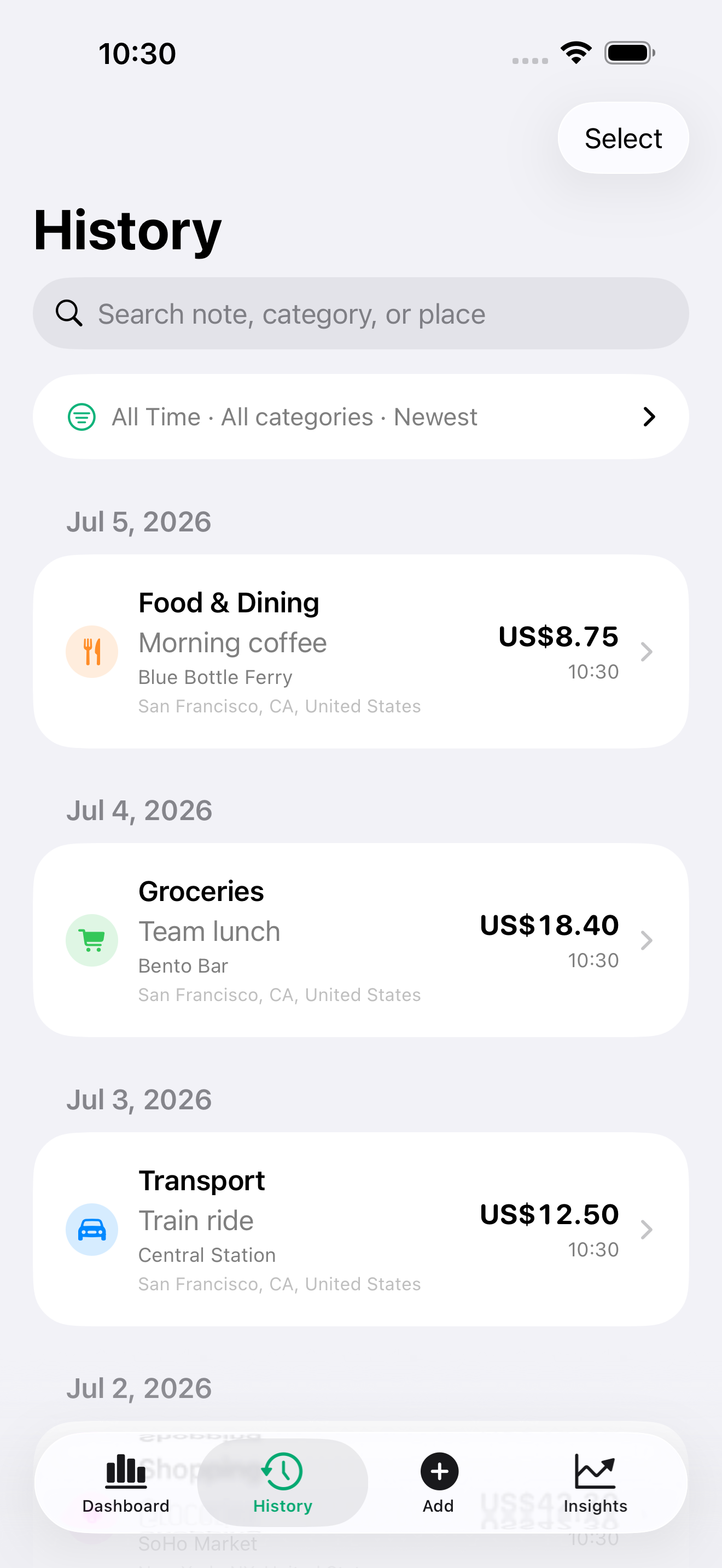
Find any expense fast with filter chips for category, date, receipt, and place.
Widgets
Nudgit ships interactive iPhone widgets for daily spend, trends, summary status, and one-tap quick add — plus a Lock Screen Live Activity that keeps today’s spend and remaining budget glanceable. Widget privacy redaction can hide sensitive values when others can see your screen.
Apple Watch companion
The watch experience is intentionally compact: choose a preset, adjust the amount, pick a category, and save. Later, the iPhone app gives you the broader budget, forecast, receipt, and history views.
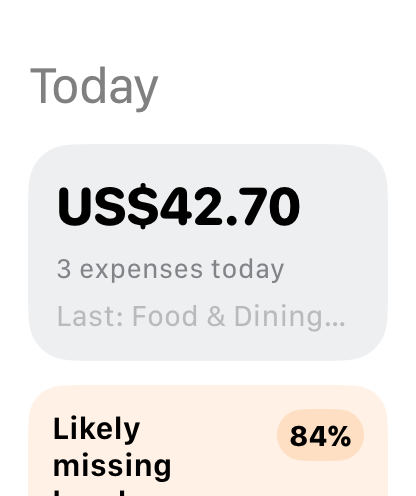
Glance at today and start a quick log flow from the wrist.
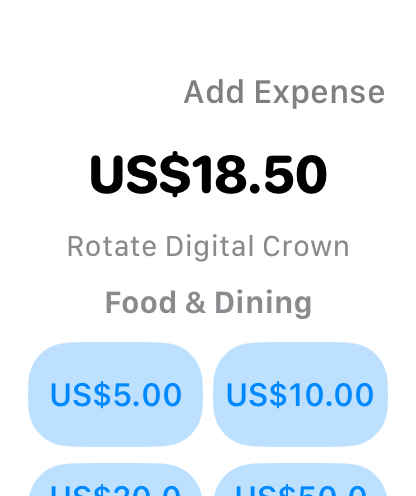
Use compact presets or adjust the amount before saving.
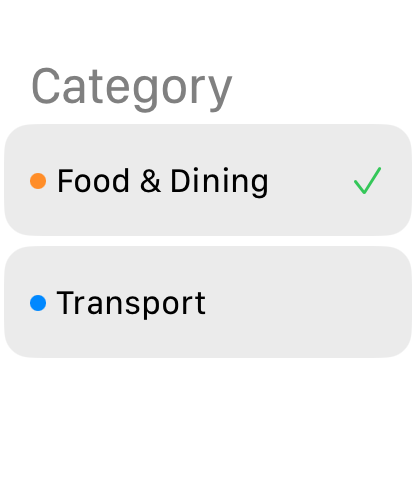
Choose a favorite category without reaching for your phone.
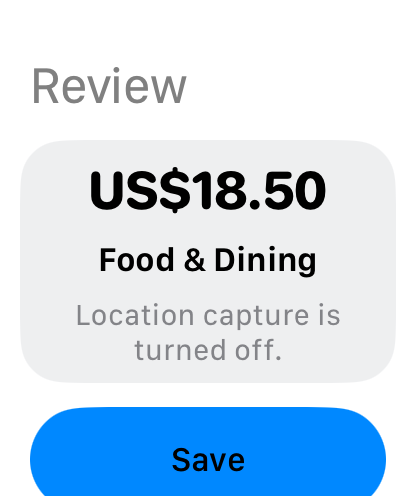
Confirm the expense and let sync catch up when available.
Now on iPad
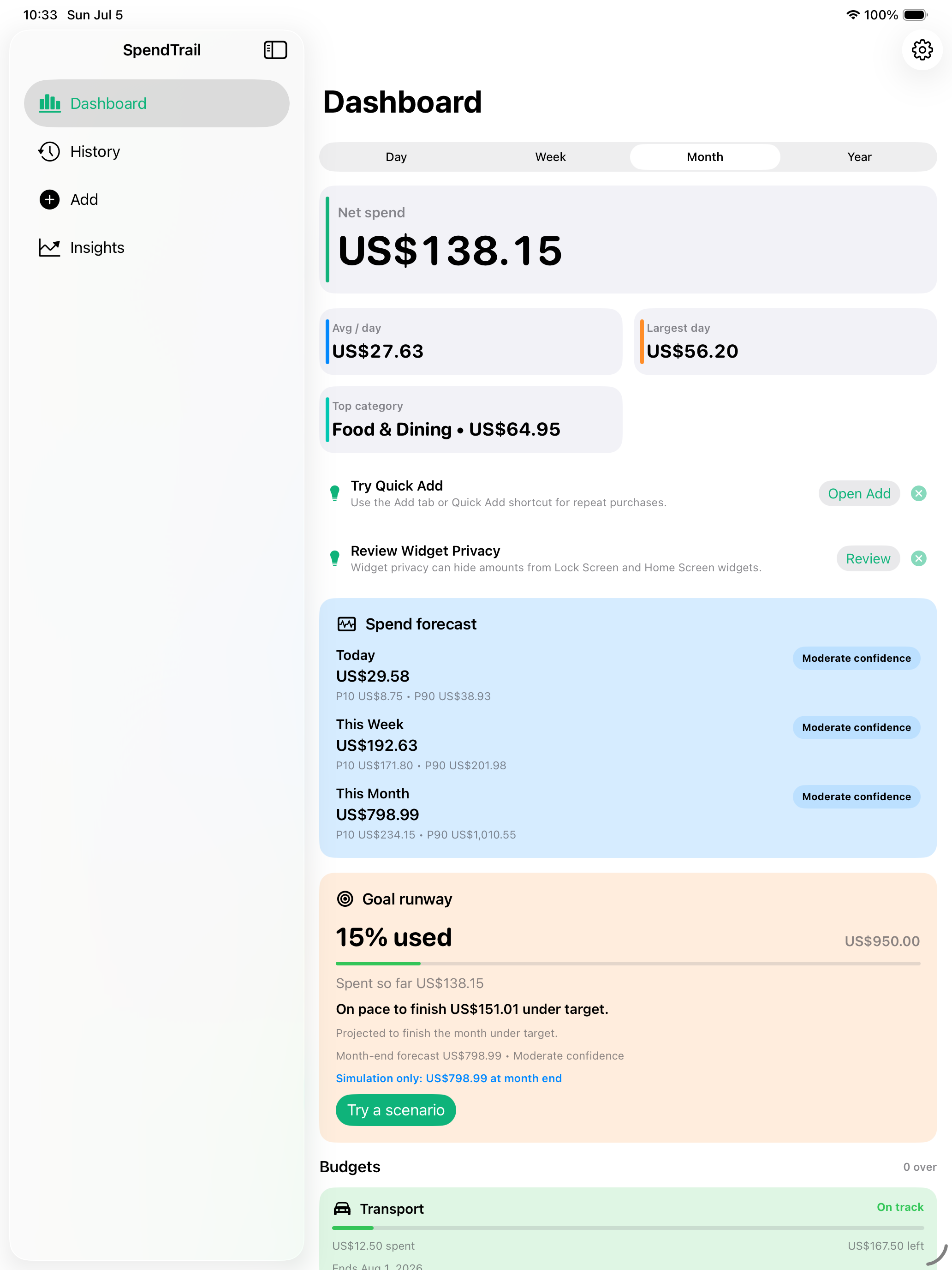
Nudgit is optimized for iPad with a roomier layout that makes the most of the bigger screen — dashboards, trends, forecasts, and insights with more in view. Your data stays in sync across iPhone, iPad, and Apple Watch through iCloud when available.
Localized
Nudgit is fully localized across the app, and amounts, dates, and number formats follow your region automatically — including right-to-left layout for Arabic.
Privacy posture
Expense records are stored on your device and can sync through your private iCloud data when enabled. Location capture, receipt attachments, widgets, and reminders are optional surfaces you control from the app.
Read the privacy policyAmounts, currency codes, categories, timestamps, and optional notes that you enter.
Receipt images are only stored when you choose to attach them to an expense.
Coordinates and place information only when location capture is allowed and available.
Minimal status needed for widgets, reminders, and local or iCloud availability across your own devices.
Support
Visit support for widgets, quick entry, budgets, subscriptions, iCloud sync, Apple Watch quick log, optional location access, receipts, and contact information.